Chrome extension
Guide Recorder
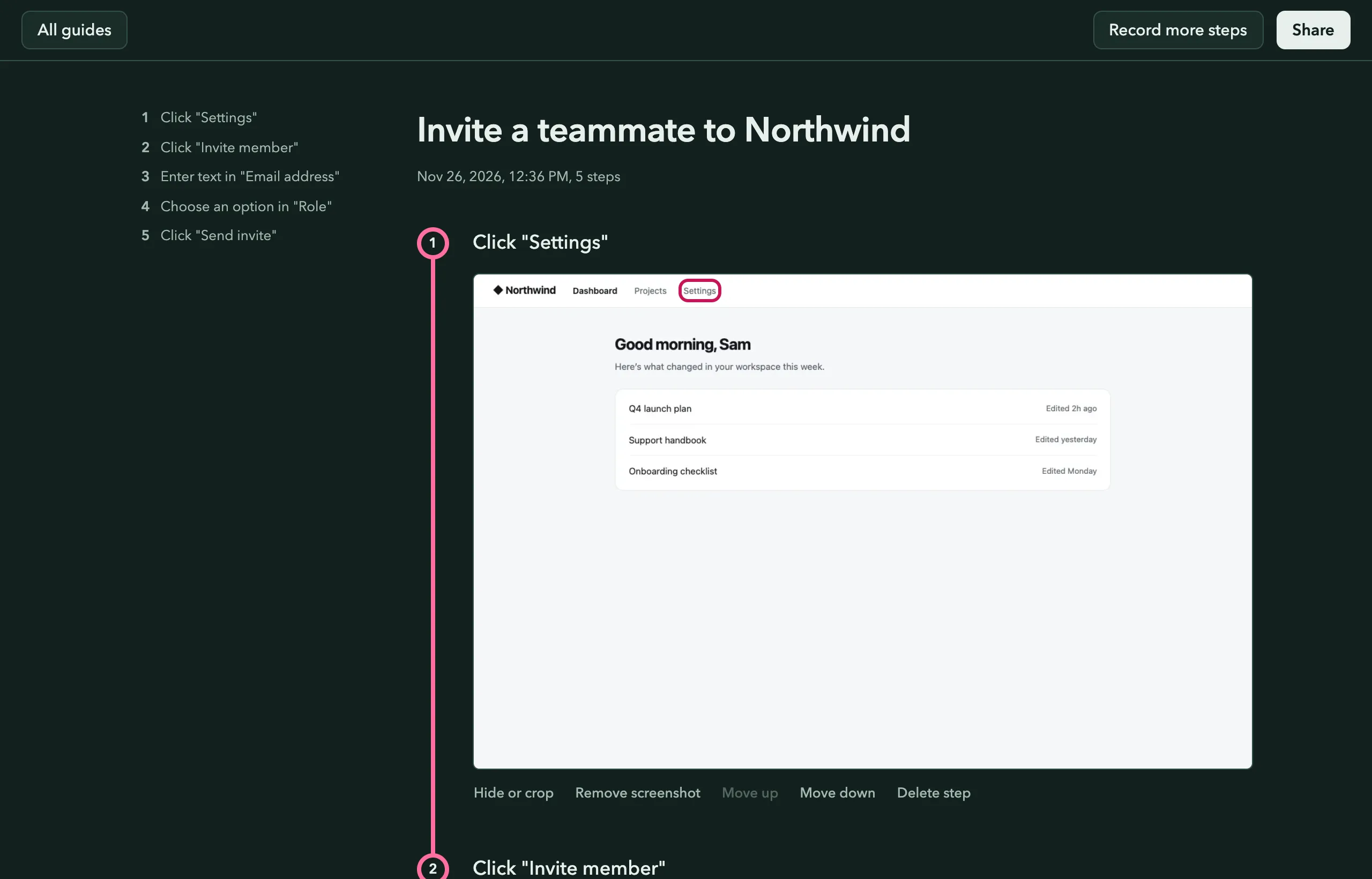
Record your clicks and get a clean, step-by-step guide you can edit and share.
What it does
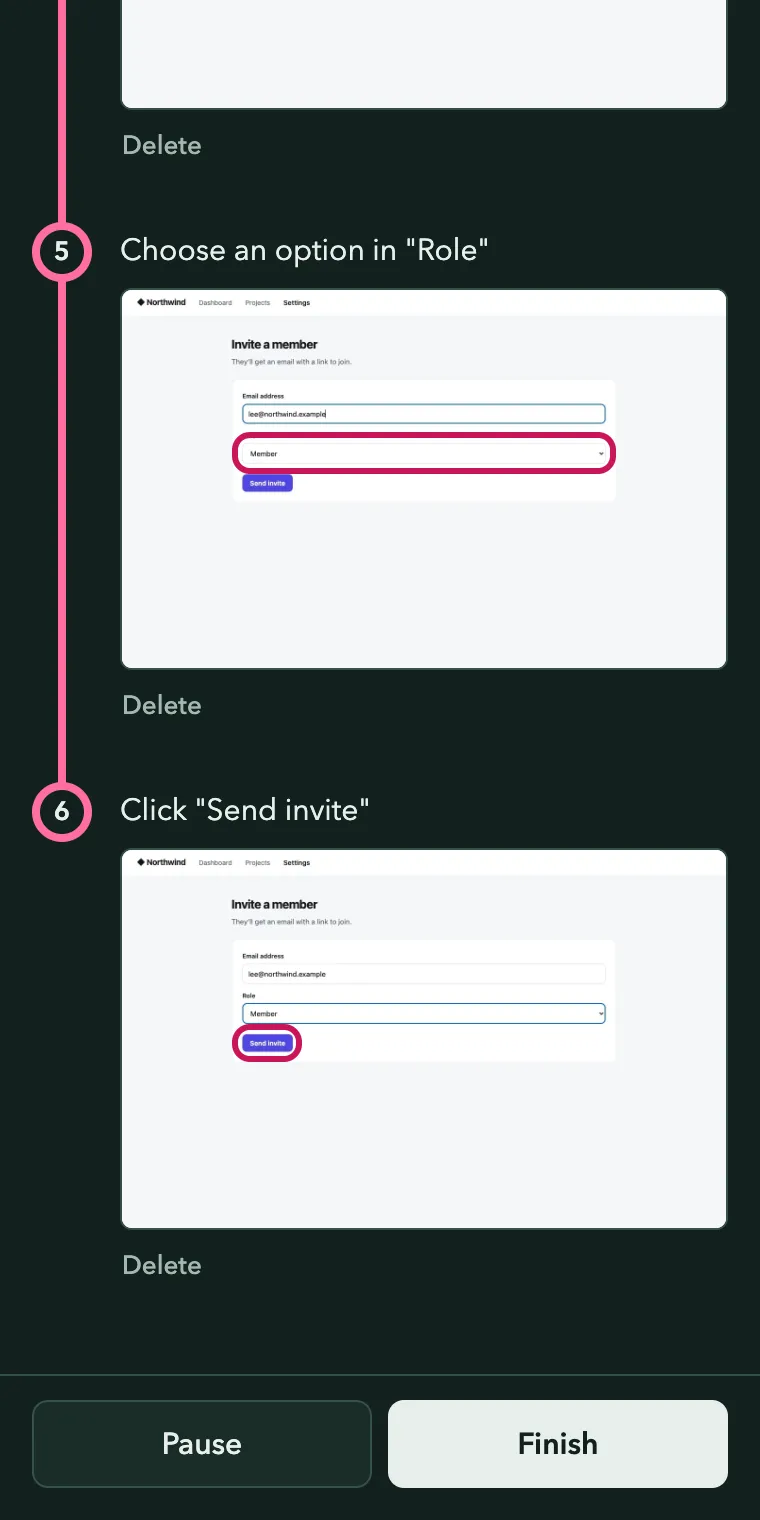
Do a task once in Chrome and Guide Recorder turns every click into a step with a screenshot.
Record as you work
Start recording, do the task, and each click becomes a numbered step with a screenshot.
Only the tabs you choose
Recording follows the tab you picked. Other tabs, and anything you type, stay out of the guide.
Edit before you share
Rewrite steps, reorder them, crop screenshots, and cover private areas with solid boxes.
Stays on your computer
Guides live in Chrome on your machine. There is no account and nothing is uploaded.
Share in any formatComing
Export a guide as a web page, Markdown or PDF.
Ready for AI agentsComing
Export a folder an AI agent can read, so it follows your team’s real process.
Your data
Nothing leaves your device.
Guide Recorder has no servers. Your guides, steps and screenshots are saved in Chrome’s storage on your computer and never leave it unless you export them.
Read the privacy policy →- No account, no analytics, no tracking.
- Only the tab you choose is recorded, and only while recording is on.
- Covering an area replaces the stored pixels, so hidden data can’t be recovered from an export.
Permissions it asks for 4
- Side panel
- Shows the recorder beside the page.
- Storage
- Saves your guides and screenshots on your computer.
- Scripting
- Notices clicks on the tab you are recording.
- Site access (asked when you record)
- Lets it capture the tab you choose. Chrome asks you first, and you can refuse.
Getting it
In beta. The Chrome Web Store listing is coming soon.
- 01
Guide Recorder is in beta and not on the Chrome Web Store yet.
- 02
When the listing is live, the button on this page will take you there.